Metadata Type
Metadata Type Summary
The Metadata Type Summary screen displays all metadata type classifications configured in the system. Navigate to it via Home > Vendor > Metadata Type.
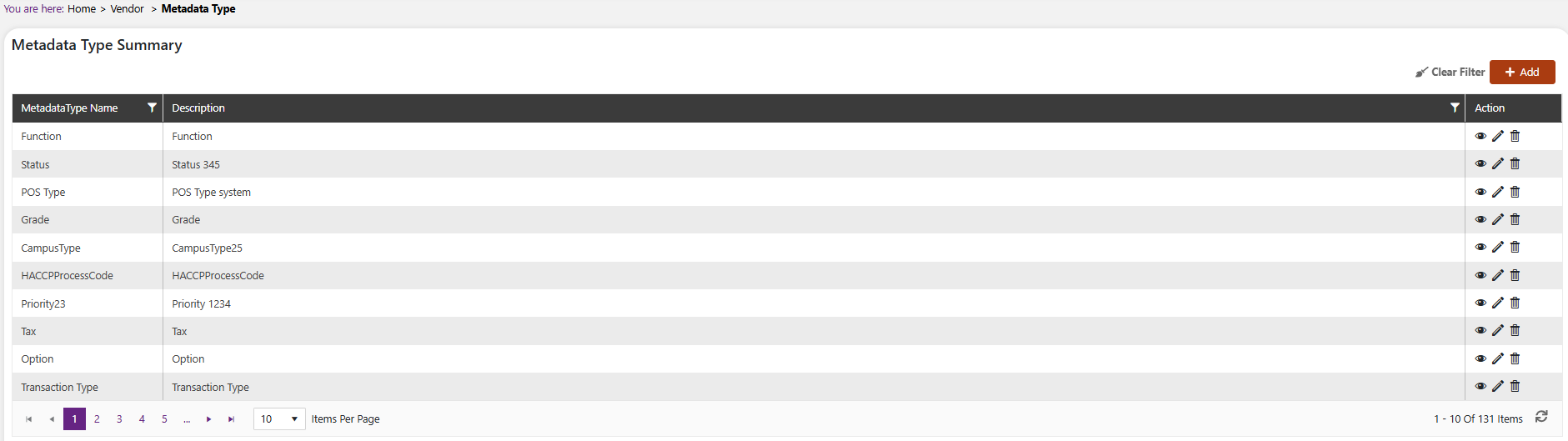
The summary grid shows the following columns:
| Column | Description |
|---|---|
| MetadataType Name | The name of the metadata type classification (e.g. "Function", "Grade", "Tax") |
| Description | The description for this metadata type |
| Action | View (👁), Edit (✏), and Delete (🗑) icons |
Use the Clear Filter button to reset any applied column filters.
Add a Metadata Type
Click the + Add button on the top right of the Metadata Type Summary screen.
The Add Metadata Type screen opens.
 Note
NoteMandatory fields are indicated by the * next to the name
Fill in the following fields:
- MetadataType Name* — Free text. Enter the name for the metadata type.
- Description* — Free text. Enter a description for this metadata type.
Click Save to create the record, or Cancel to discard.