Adaptive Equipments
What is Adaptive Equipments?
Adaptive Equipments is the master list of adaptive feeding or service equipment that can be associated with a recipe or product, such as specialised utensils or aids. Each Adaptive Equipment entry can be made applicable to all accounts, or restricted to specific accounts as needed.
Navigate to Adaptive Equipments
Click on Configuration on the main navigation menu. Locate Master and click on it.
A new screen appears which shows the list of all the core master tables. Locate the one which says Adaptive Equipments and click on it.
This will open a screen where you can see all of the active and inactive Adaptive Equipment entries which are set up for your company, along with their respective Adaptive Equipment ID, Account Name, and Status. Green indicates the entry is active and red indicates the entry is inactive.
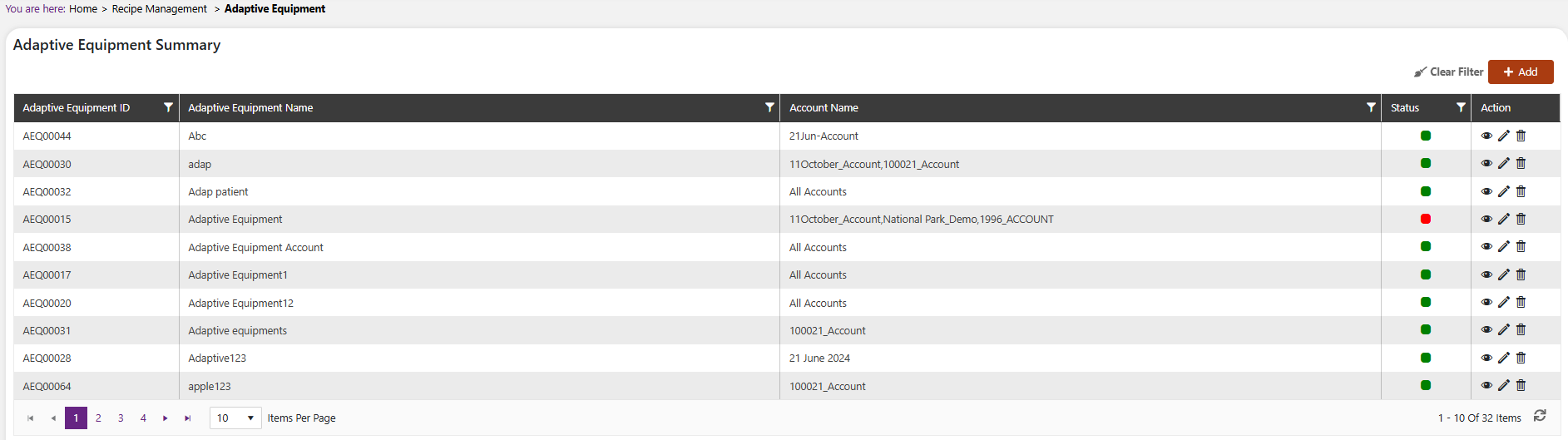
Use the View, Edit, and Delete icons in the Action column to view, modify, or remove an Adaptive Equipment record.
Add a new Adaptive Equipment
Click the + Add button on the top right side of the screen.
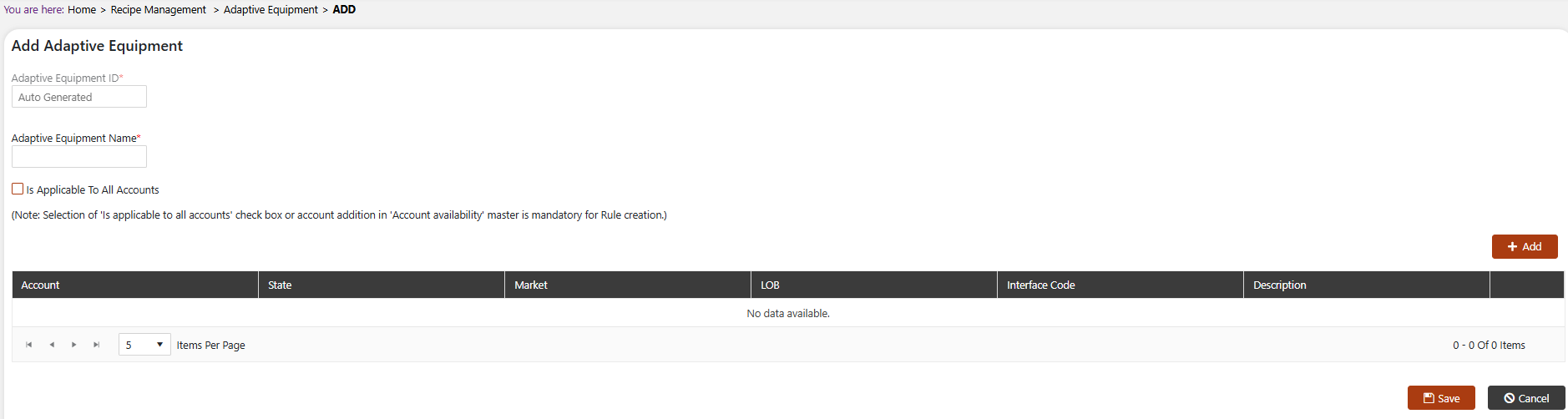
The system will open a popup screen in which you can fill in the following fields:
:::tip Note Mandatory fields are indicated by the * next to the name :::
- Adaptive Equipment ID: This is automatically generated by the system.
- Adaptive Equipment Name*: Provide the name of the Adaptive Equipment.
- Is Applicable To All Accounts: Check this box if the Adaptive Equipment should be available to all accounts.
NoteSelection of the 'Is Applicable to All Accounts' checkbox, or addition of an account in the Account Availability section, is mandatory for Rule creation.
If the Adaptive Equipment is not applicable to all accounts, click the + Add button within the Account Availability section to specify the Account, State, Market, LOB, Interface Code, and Description for which this Adaptive Equipment should be available.
Click the Save button to save this Adaptive Equipment, or click Cancel to discard your changes.
Modify or remove Adaptive Equipment
Click on the pencil icon next to the Adaptive Equipment that you would like to modify.
Click on the trash icon next to the Adaptive Equipment that you would like to delete.
NoteIf the Adaptive Equipment is already referenced elsewhere in the system, you may need to remove that reference before it can be deleted.