Utilize Marketing Promotions
Note
Use this function to download materials for or utilize promotion text for monthly menus.
On the Menu screen, click the Marketing/Promotion button (left side). A popup screen will appear with valid marketing promotions for month (relevant to the location and meal period and date). Inside each selection, DC will show you all the files associated with the promotion available for download, as well as the name of the promotion to put on your menu.
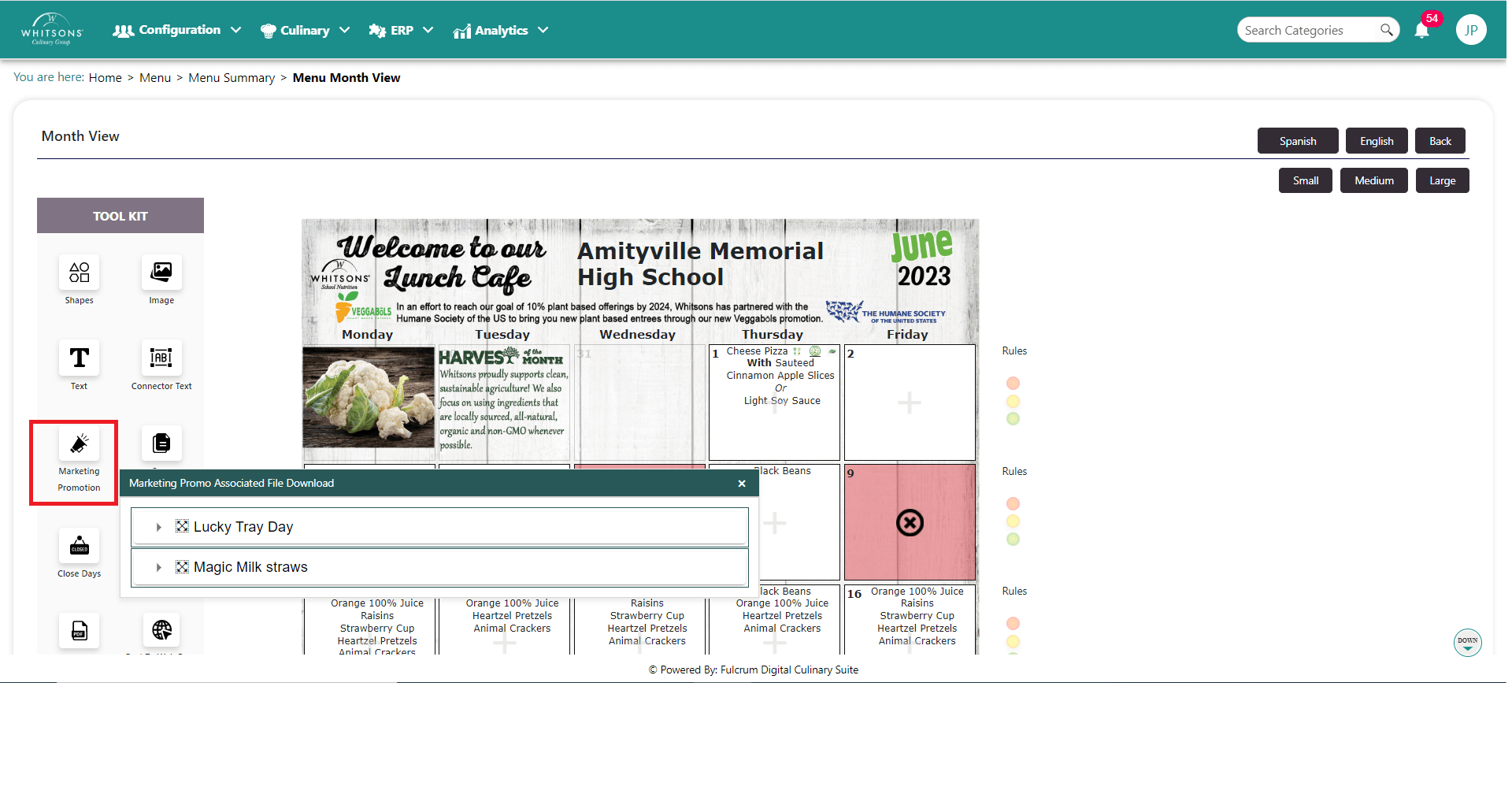
Click on the arrow next to the Promotion to view.
To put the name of the promotion on your menu, drag and drop it to the desired location on the menu (you cannot modify this).
Click the Download button for one or more files associated with the promotion.