Print Product Specifications
On the Menu screen, click the Print Specs button (left side). A popup screen will appear.
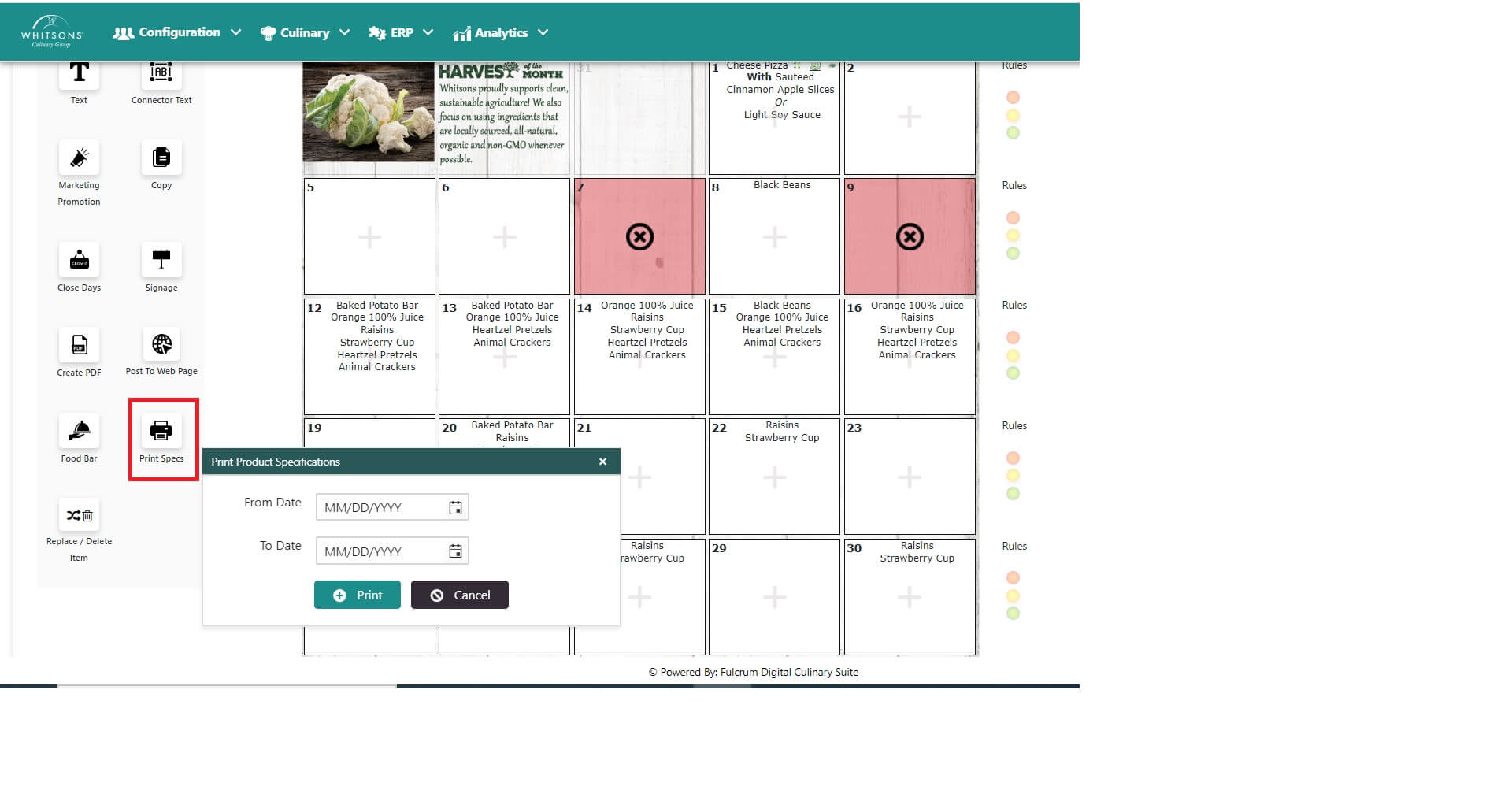
Click the Calendar button to select From and To dates.
Click the Print button.
A Zip file will download.
Click to open the Zip file. The product specs will be in a PDF format organized by meal type (i.e. Side, Condiment, Beverage, Entrée, etc.)
NoteYou can also obtain the Product Specs from the Order Guide (see below).
On the Purchase tab, click on the Order Guide
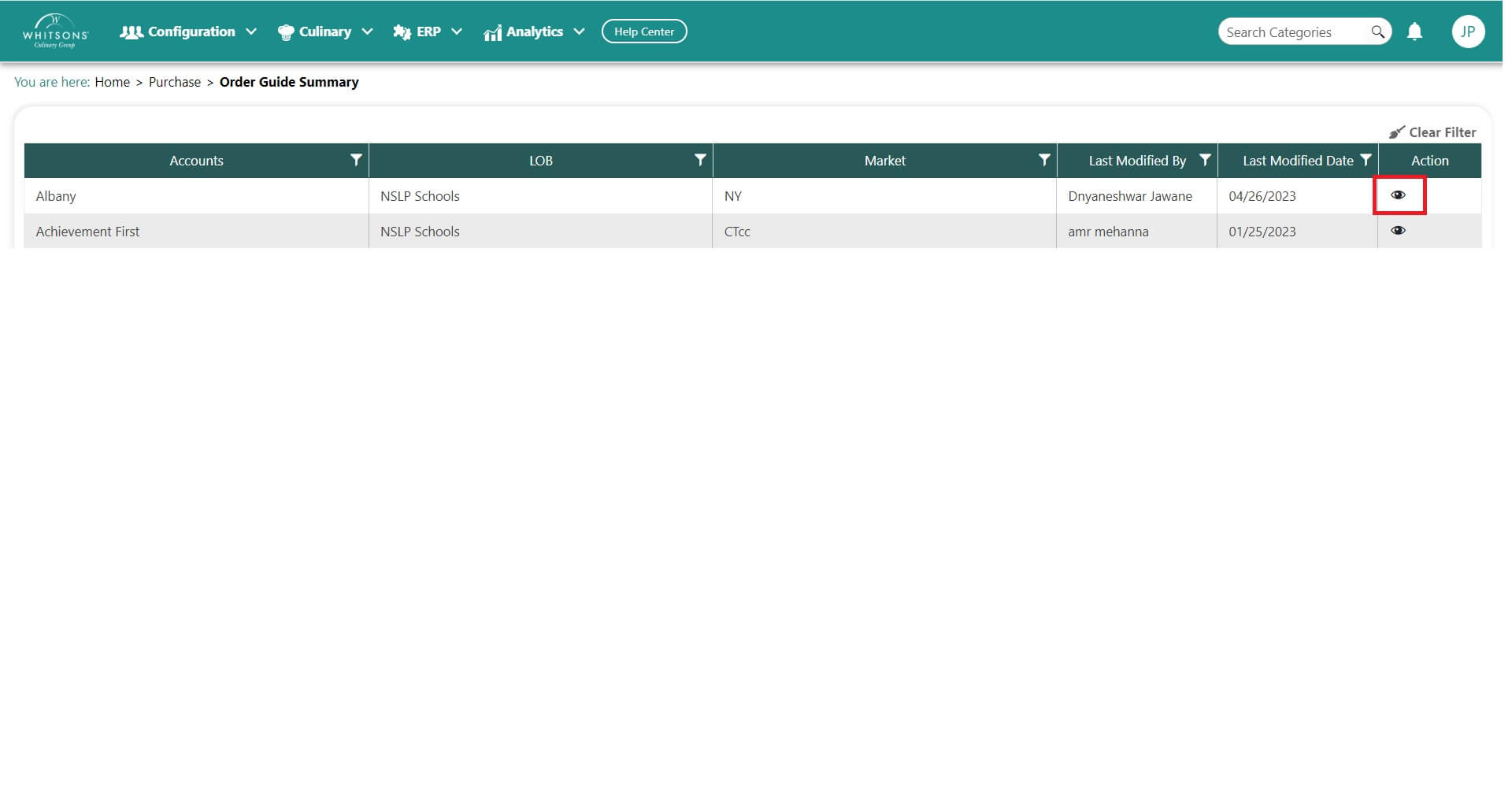
Click on the View icon (eyeball)
The Order Guide will display all the products available for you to order
Search a product. To the right you will see a Memo icon (clipboard)
Click on the Memo icon (clipboard)
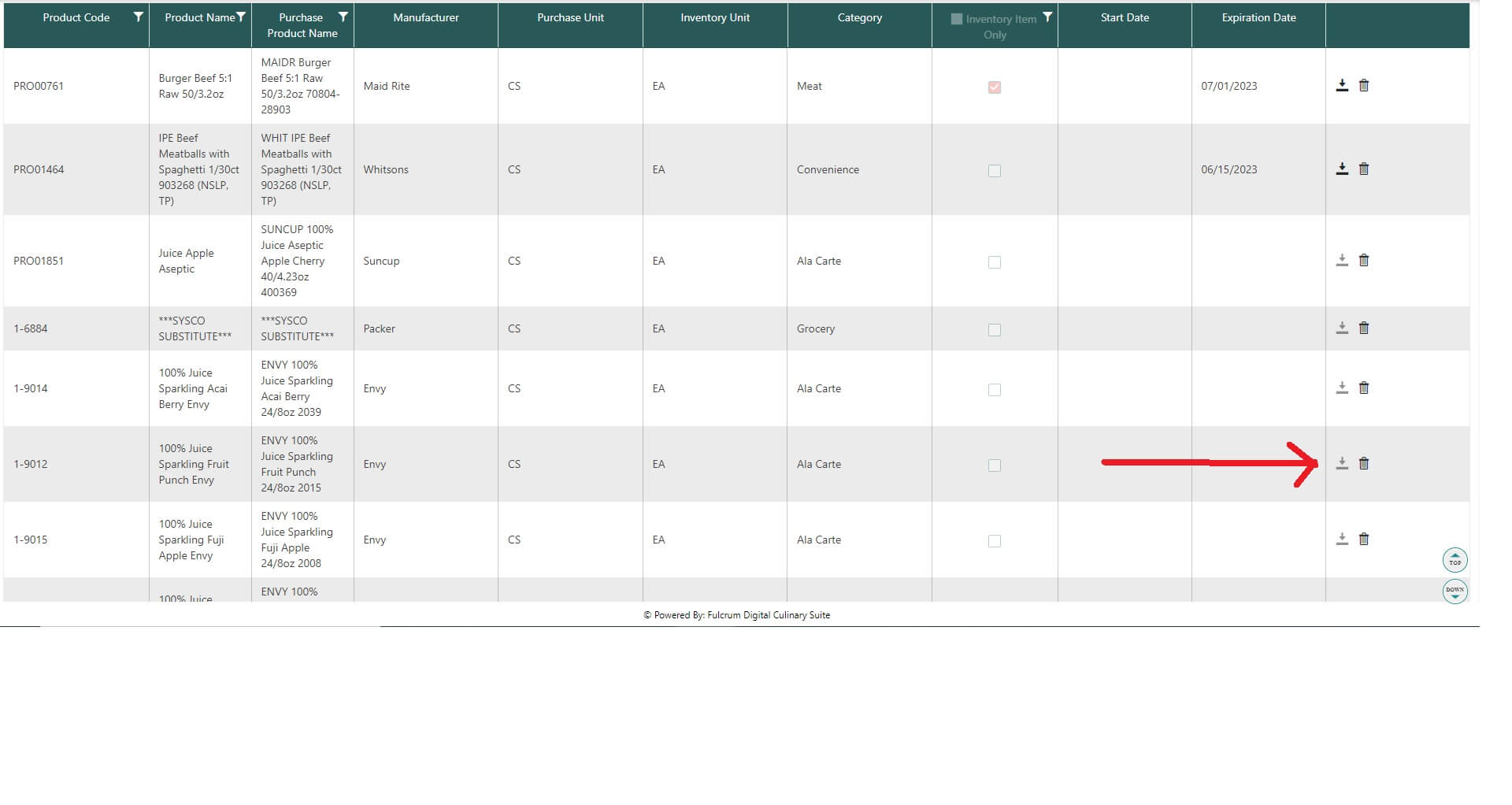
- A PDF file of the product spec sheet will download for you.