Print Allergen Export Report
All locations must have on hand at all times the product allergens. You must print the Allergen Export Report for the entire month and place those pages in the Monthly Binder (formerly called the Allergen Binder) where the students can access (located where the Allergen Binder was previously located, near the Allergen poster).
Some of the many benefits to printing the Allergen Export Report from the monthly menu include:
The monthly binder will be customized to your specific menu for the month
If recipes change throughout the year, the FSD won't have to remember to update the Allergen Binder manually.
You won't have to sift through an entire library of recipes that your account does not utilize
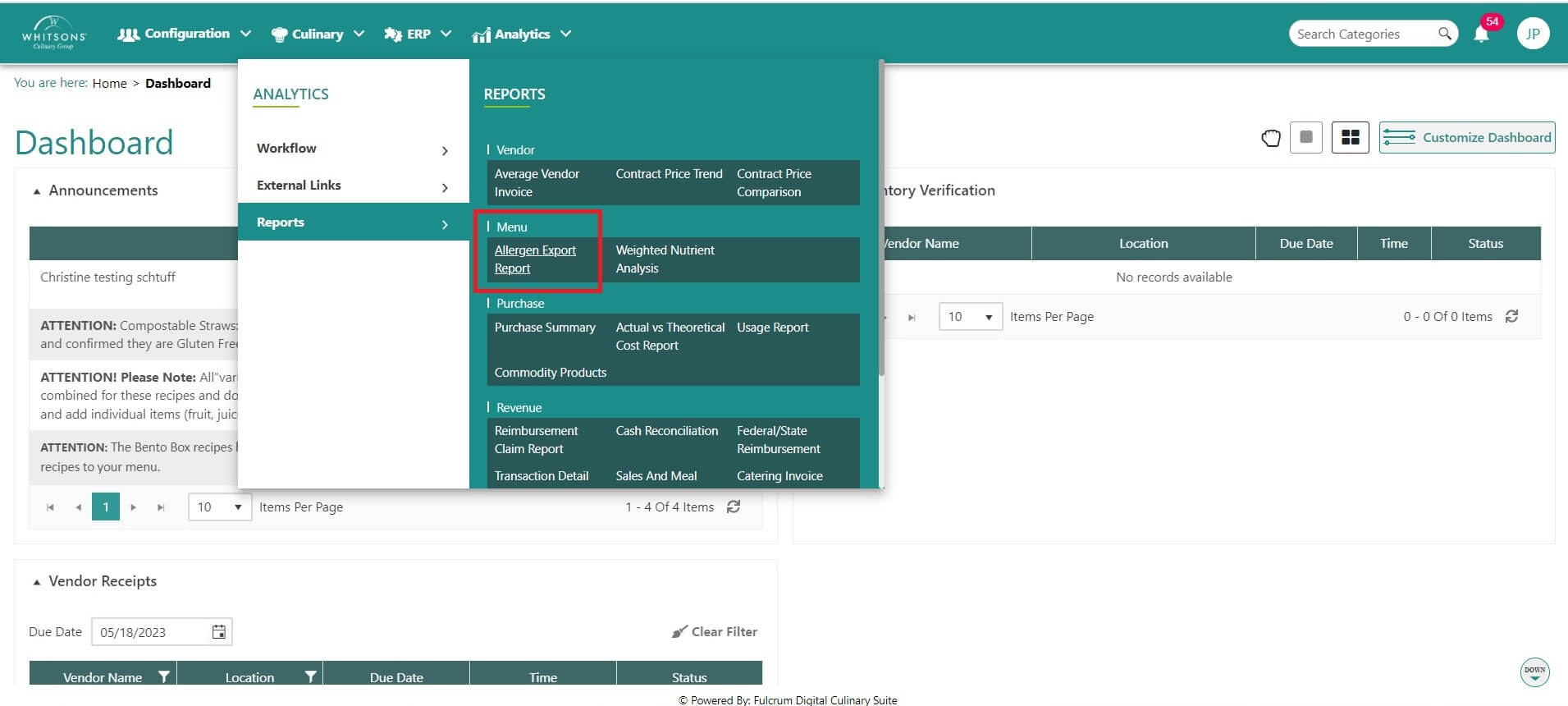
Hover over the Menu icon on the navigation menu. The Menu Icon expands to display subfunction list. Select Reports. This screen will display a form to request the Allergens for a specific time period at a specific account and location(s).
Enter the Start Date
Enter the End Date
Use the drop down to pick the Account
Once the Account is identified, the Location(s) will display in the drop down.
Click Submit.
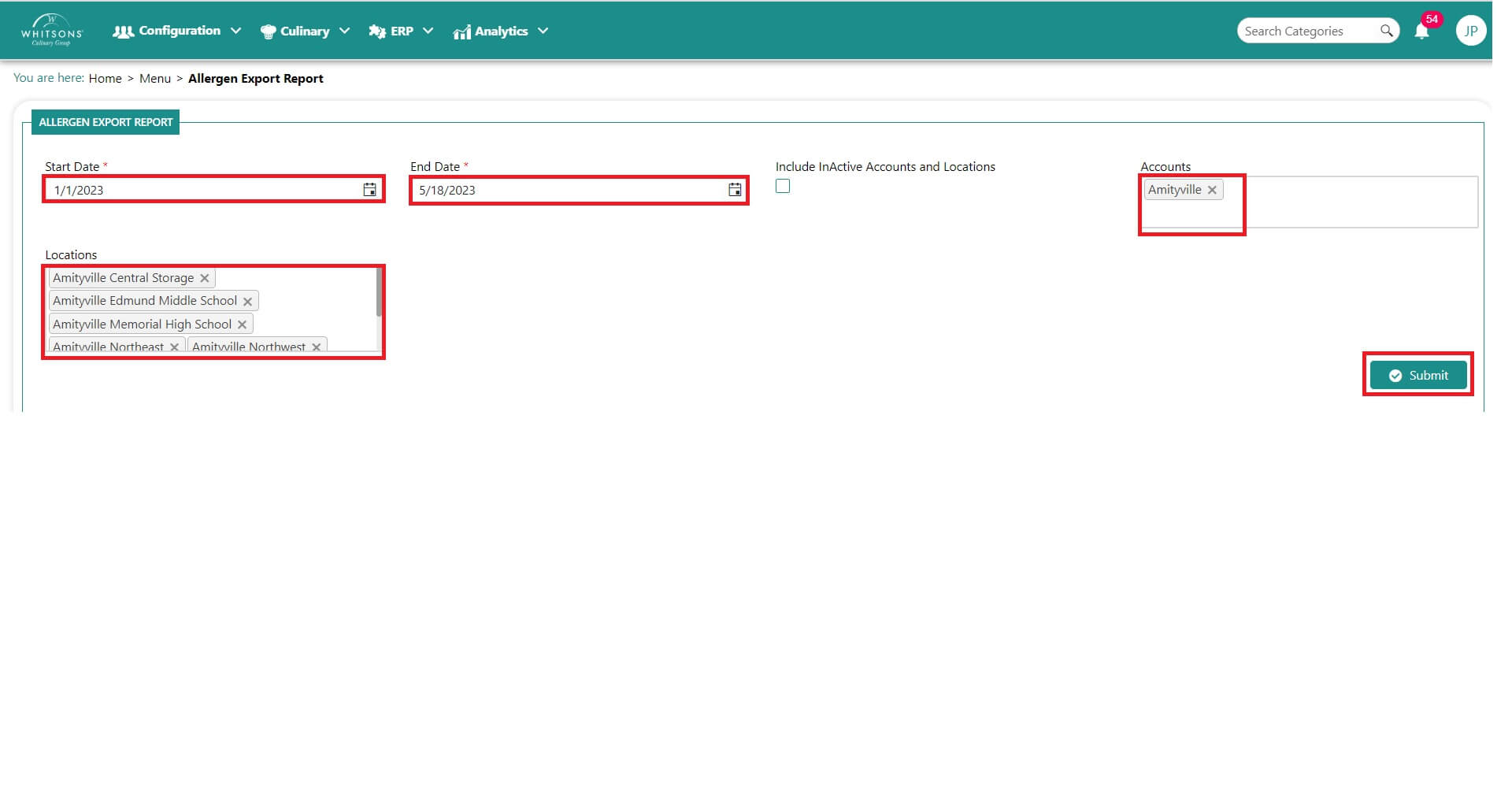
The Allergen Export Report will display.
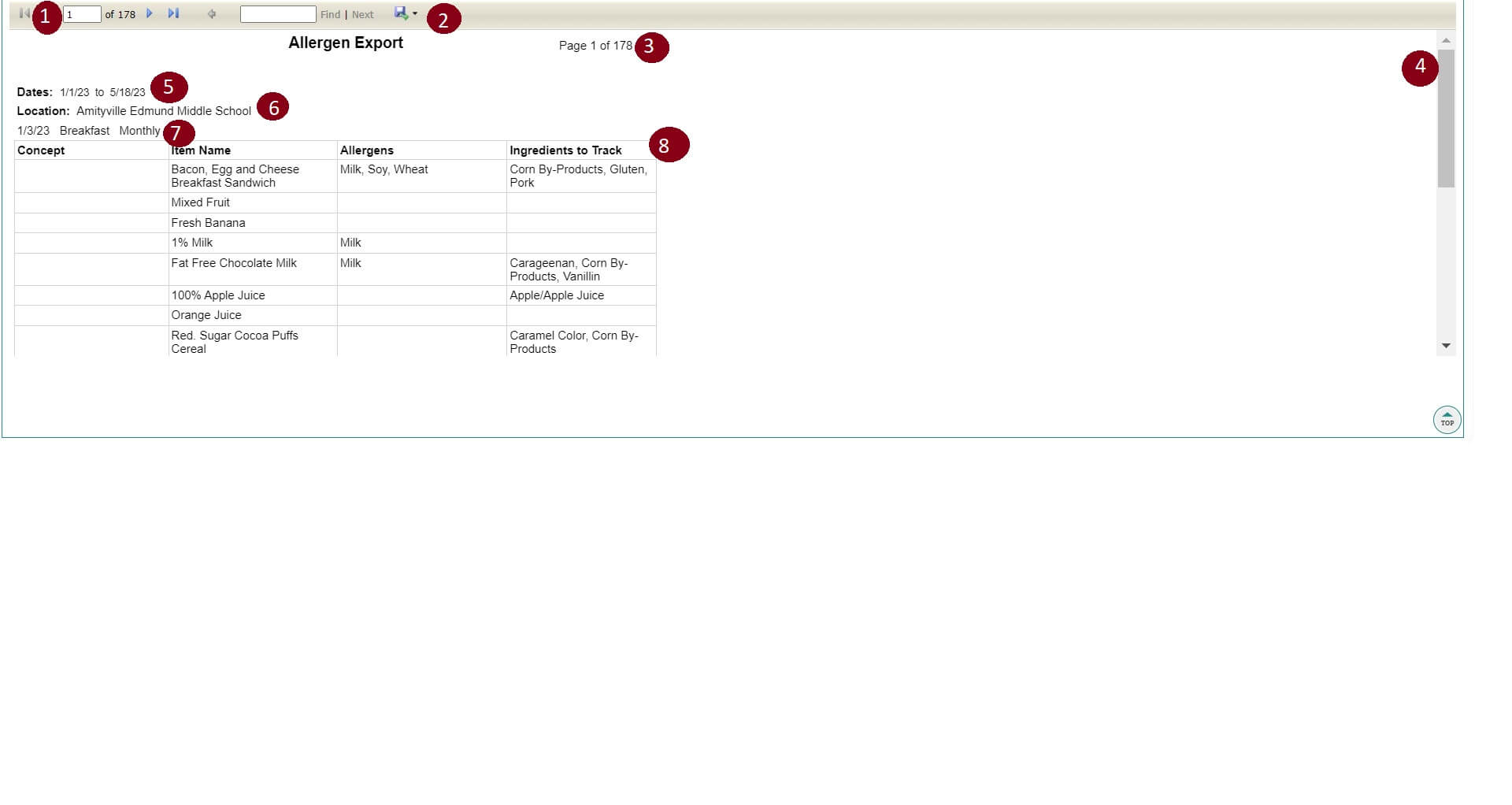
See the above image with the descriptions below:
Field/ Function Description 
Navigate to the different pages using these arrows or enter a page number 
Export to file type Excel or PDF 
Page indicator 
Scroll bar to view all of the page 
Allergen information for the dates on the menu 
Allergen information for the account's menu 
Allergen information for the type of menu (monthly, concept, breakfast, lunch, etc) 
Allergen Ingredients to track
- Print the Allergen Export Report and place in the Monthly Allergen Binders. Place the binder at each location. Post in the mandated area near the Allergen posters.