Print Recipes
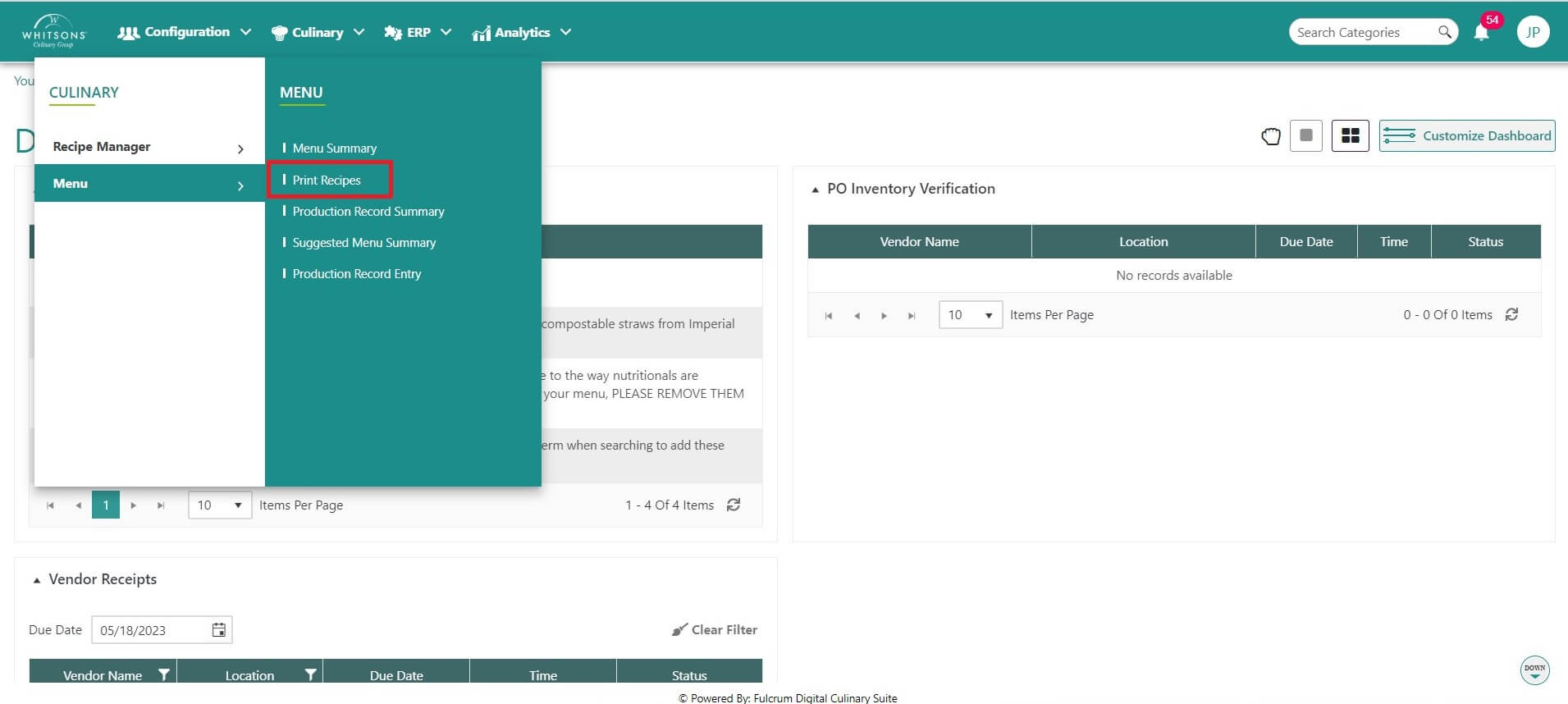
On the DC homepage, hover over the Menu icon and click on Print Recipes.
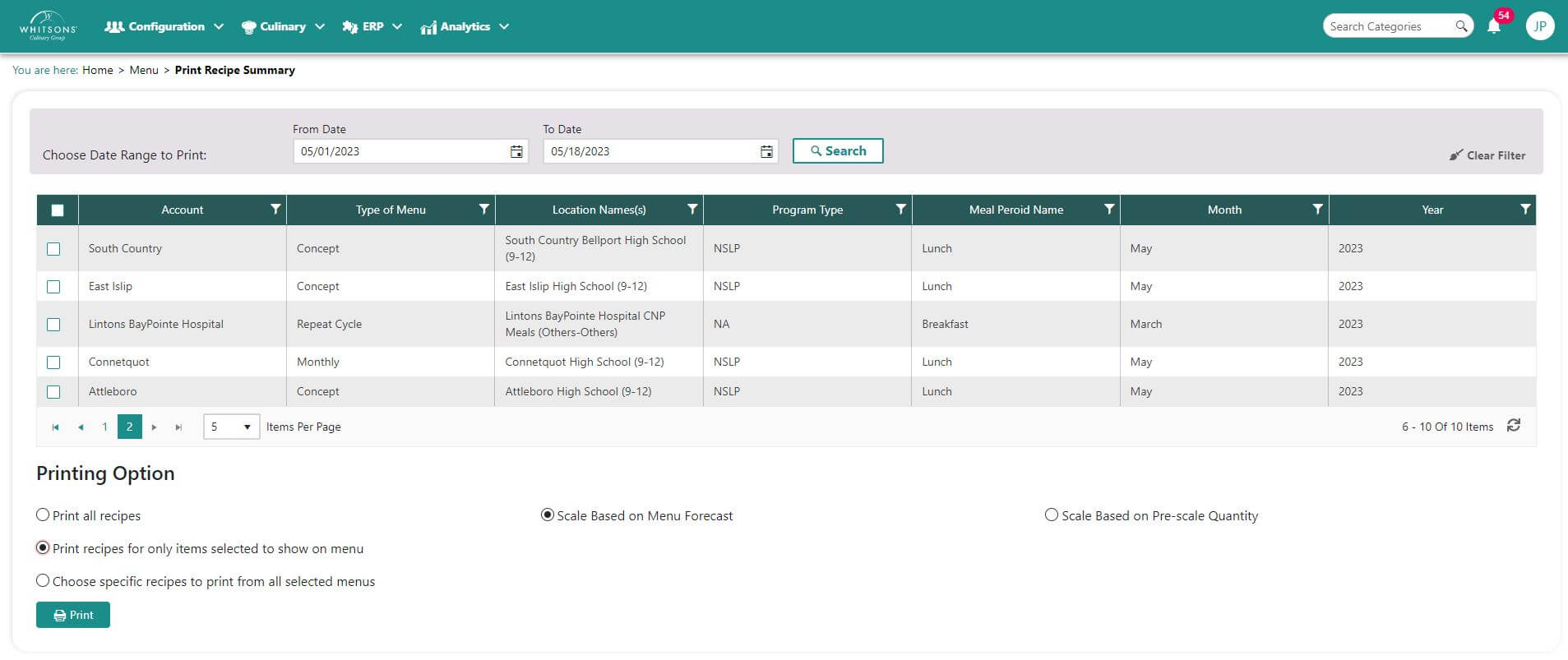
Enter the date range and click Search for available menus.\ Select a printing option:
Print all recipes
Print recipes for only items to show on the menu
Choose specific recipes from selected menus. If you choose this option, a window will appear for you to check the recipe you which to print.
Select scale:
Scale based on menu forecast
Scale be on Pre-scale quantity
Press Print. The menu files will be returned as a pdf file. If you selected more than one recipe, all recipes will be in the same file.