Print and Post Menu - Create a PDF
tip
Only one menu at a time can be posted to the web page.
When you click the Post to Webpage button, the existing menu will be replaced.
On the Menu screen, click the Create PDF button (left side). A popup screen will appear.
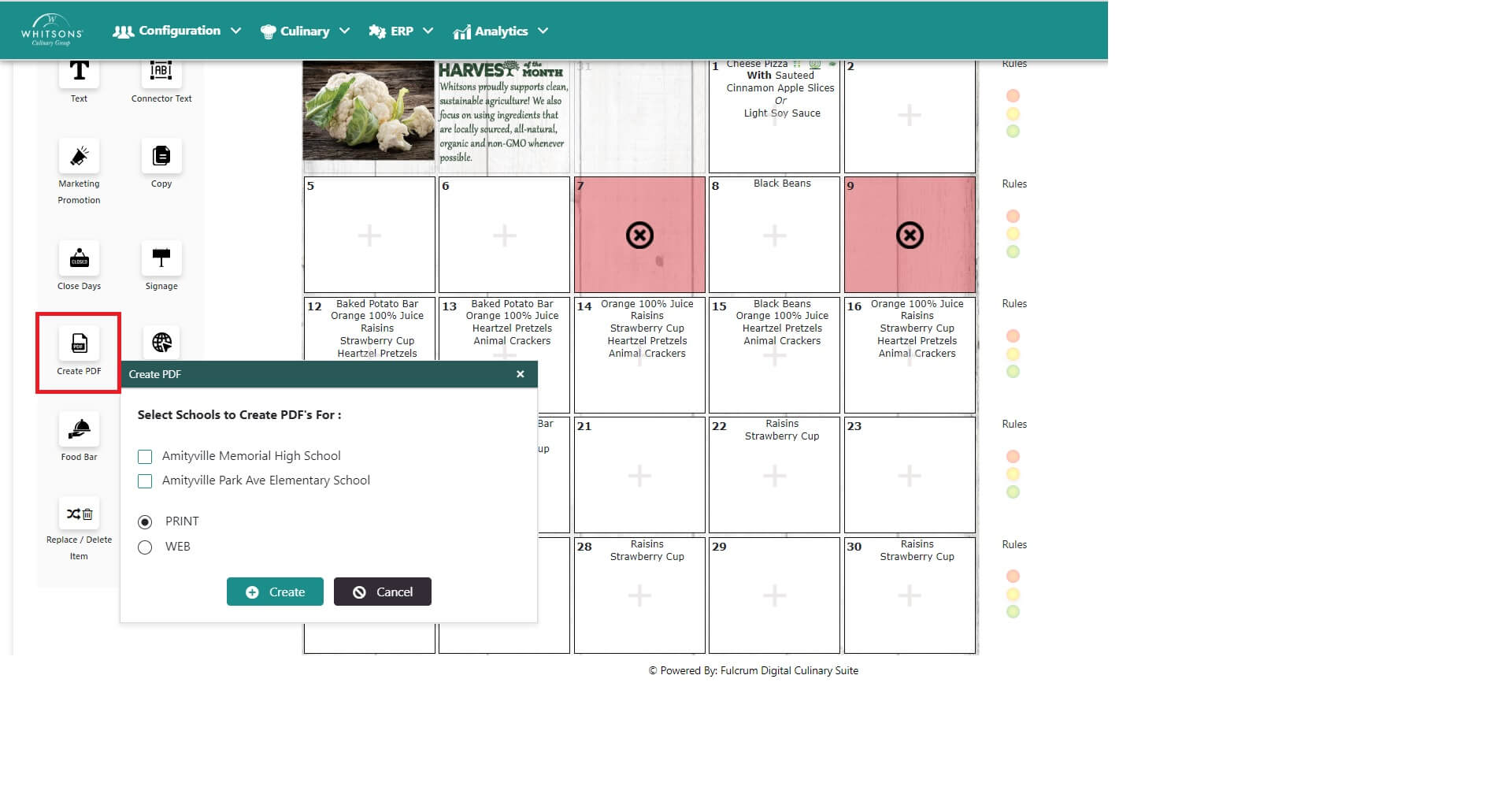
Select the menu(s).
Select the Print button for the system create a PDF of the Menu for printing.
NoteThe menu will print in the same language in which you are viewing the menu (Viewing in English will print the menu in English; likewise for Spanish).
There are two types of PDFs---a compressed file for the web and a larger file for printing.