Add Connector Text
On the Menu screen, click the Connector Text (left side). A popup screen will appear.
You will be prompted to select the date to Add Connectors.
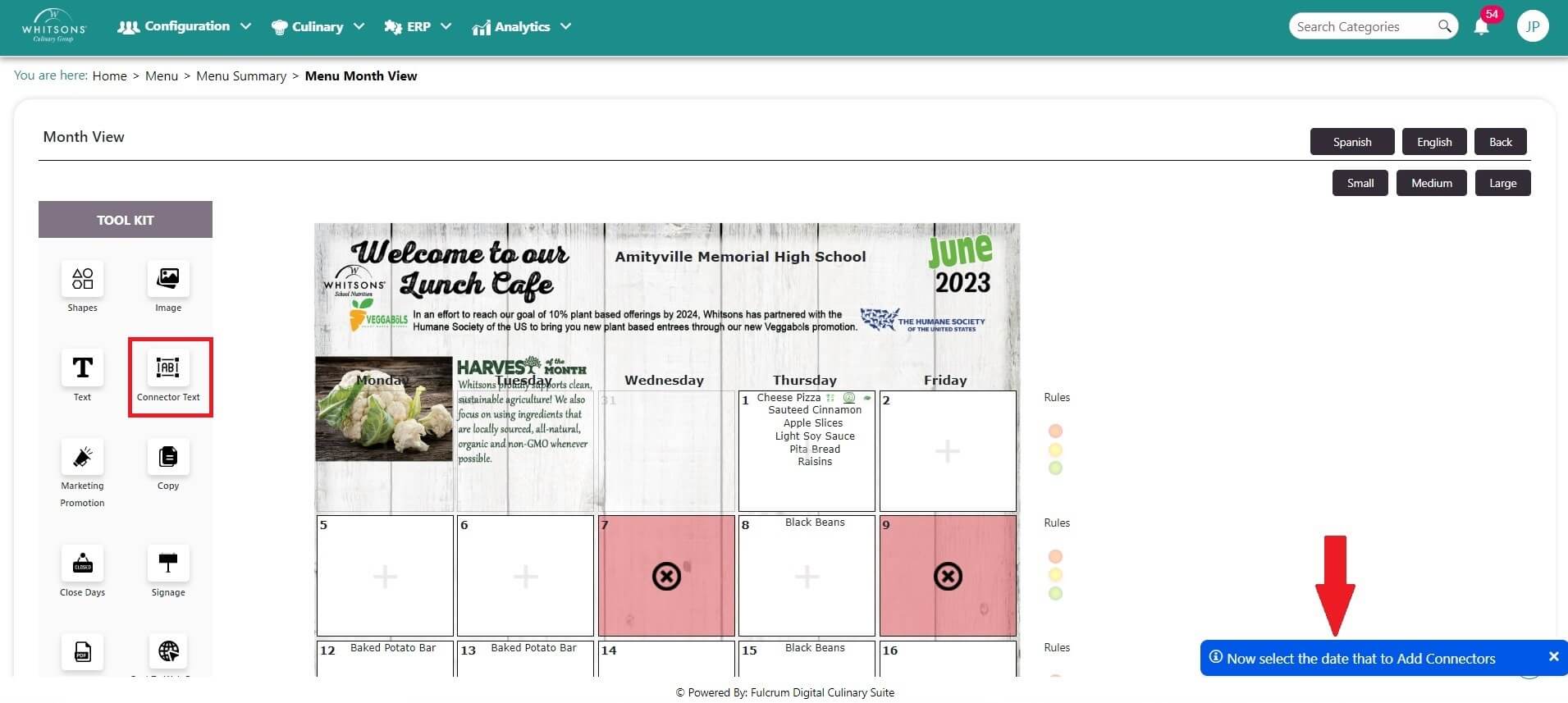
Click on a day to add connector text. A popup screen will appear.
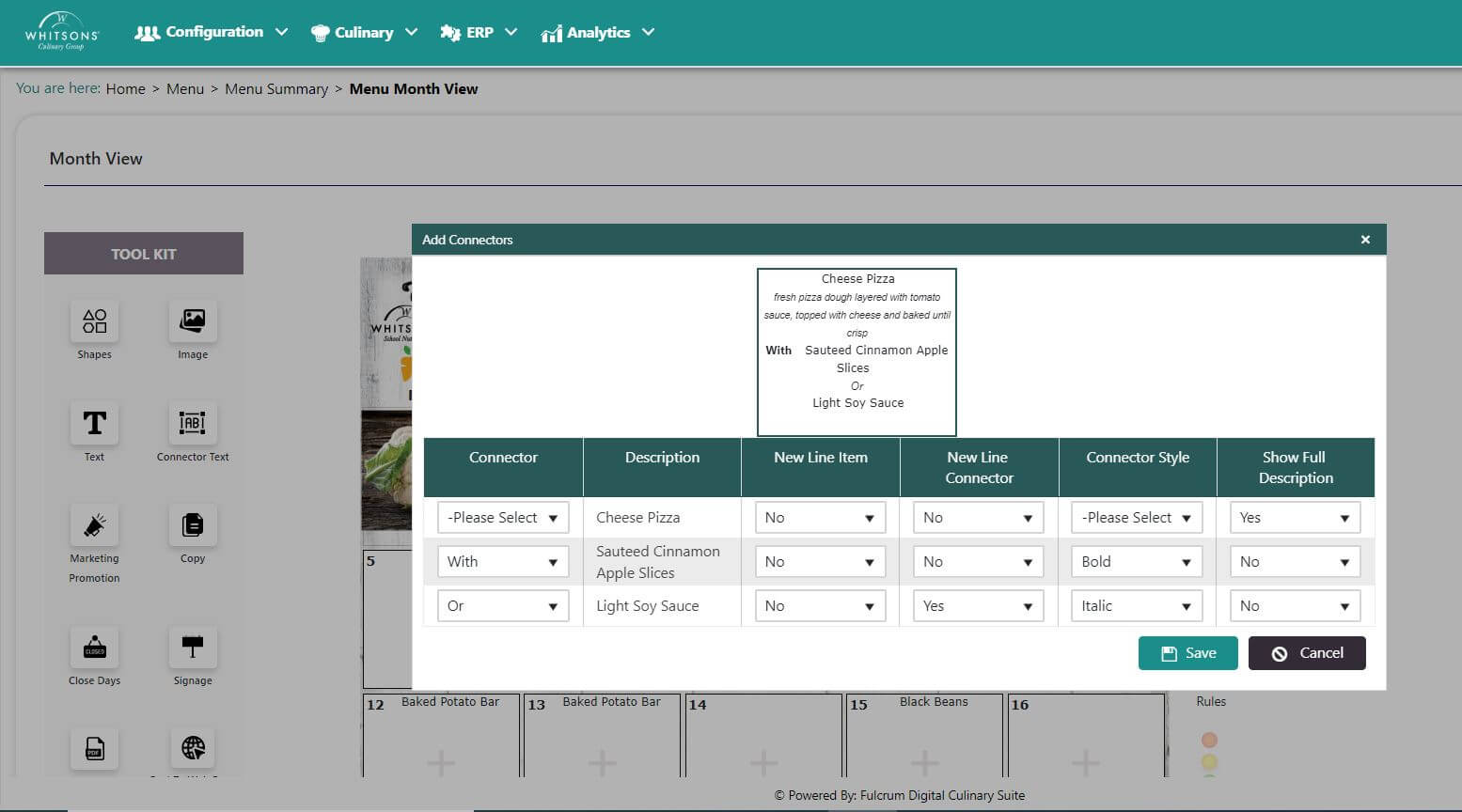
Select Connector text from the pull down menu to the left of each item.
Select whether or not to display the connector on its own line by clicking Yes or No on the Connector Line dropdown.
Select a style for the Connector from the dropdown.
Select whether or not to show the full description for the menu item.
Click Preview to see how the selected options will look. Revise as needed and click Preview to view changes.
When you like the connector text, click Save and close the popup screen.