Print and Post Menu
Create a PDF Or Post To Web
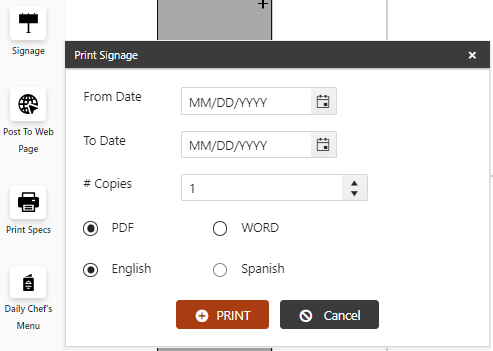
- On the Menu screen, click the Create PDF button (left side). A popup screen will appear.
Select the locations.
Select the Print button for the system to create a PDF of the Menu for printing.
Select the Post to Webpage button to upload the menu to the MealPlanner (or external site – if configured).
Note- The menu will print in the same language in which you are viewing the menu (Viewing in English will print the menu in English; likewise for Spanish).
- There are two types of PDFs—a compressed file for the web and a larger file for printing.
Post To Web Page
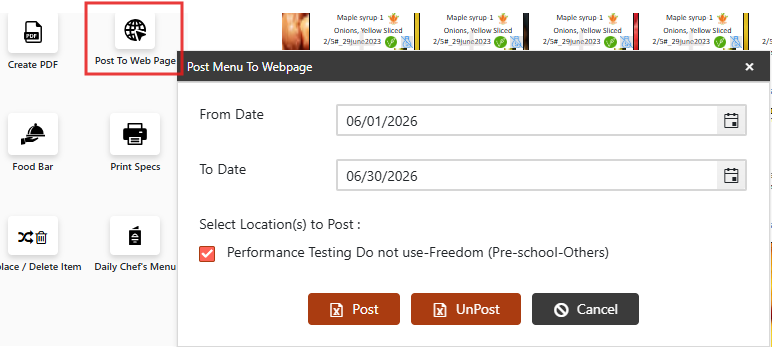
Use the Post To Web Page tool to publish the menu to a connected web portal for external viewing.
On the Menu Month View, click "Post To Web Page" on the left panel.
Select the From & To Dates.
Confirm menu details and click Post.