Cut/Copy/Paste Entire Menu Days
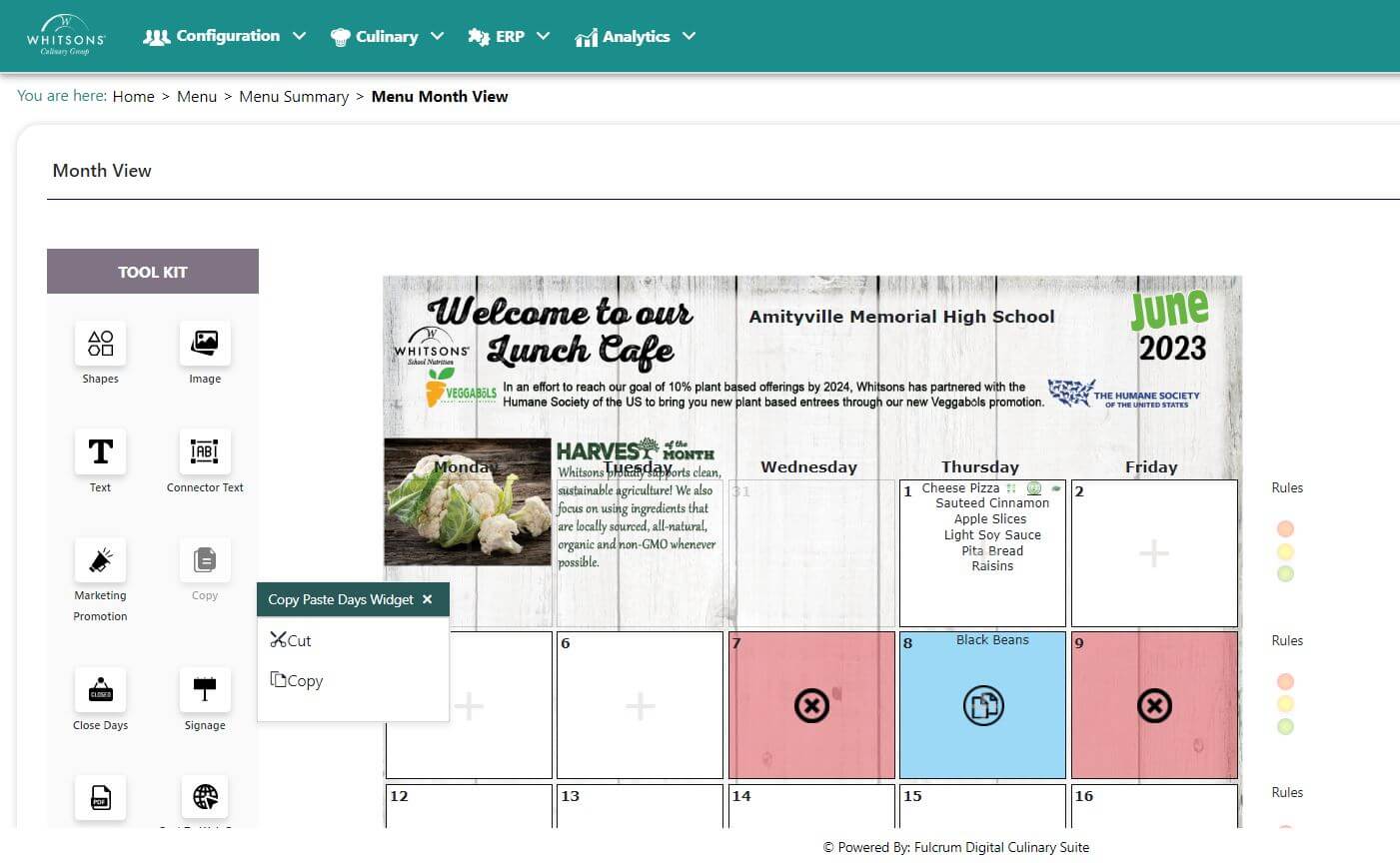
On the Menu screen, Click Copy on the left panel
Click on menu day or days you would like to copy. The selected days will be blue.
Choose "Copy" or "Cut" from the pop-out menu
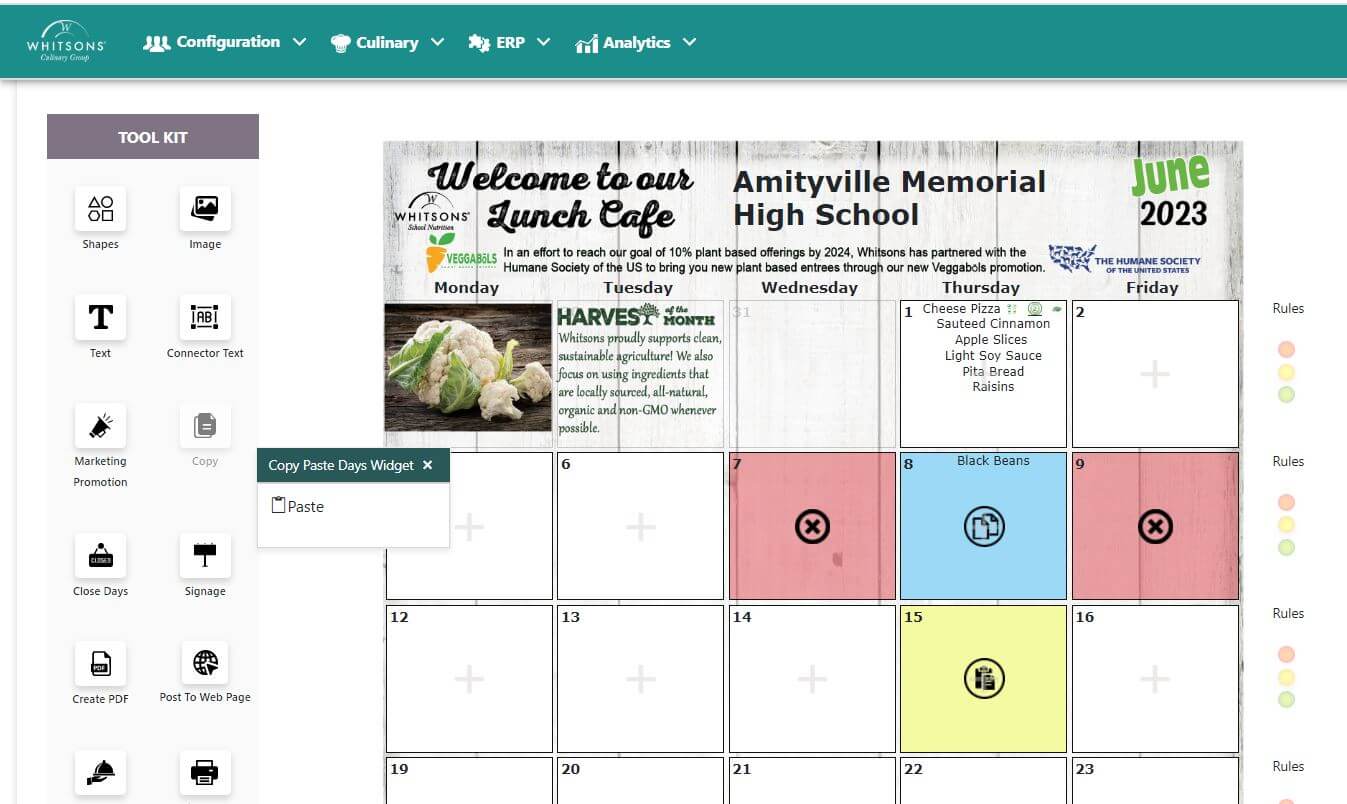
Click the days you would like to select and click PASTE.
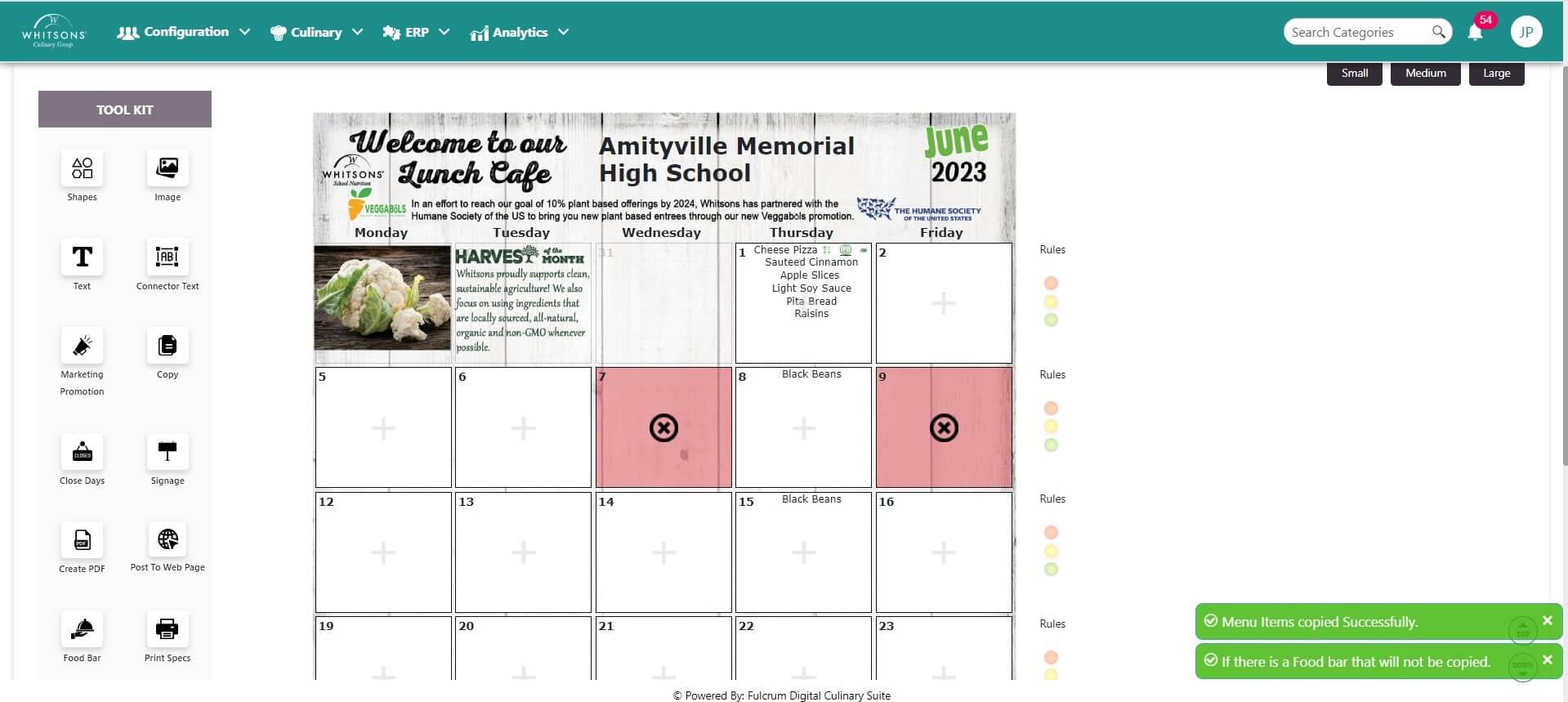
You will receive a confirmation message. Click on the menu for the pasted day to view the menu details.
Note
Follow the same steps for Cut and Paste
Copy will leave the items on the original day and put them on the day to which they are pasted.
Cut will remove the items from the original day and paste them to the selected day.