Copy Specific Menu Items
You can copy specific menu items to specific calendar days, or all calendar days. You can select to include the copied items in the Forecast, but be sure to click the Save button on the Menu Details screen first so DC copies the correct information.
- Click on Copy Forward at the top of the Menu detail screen.
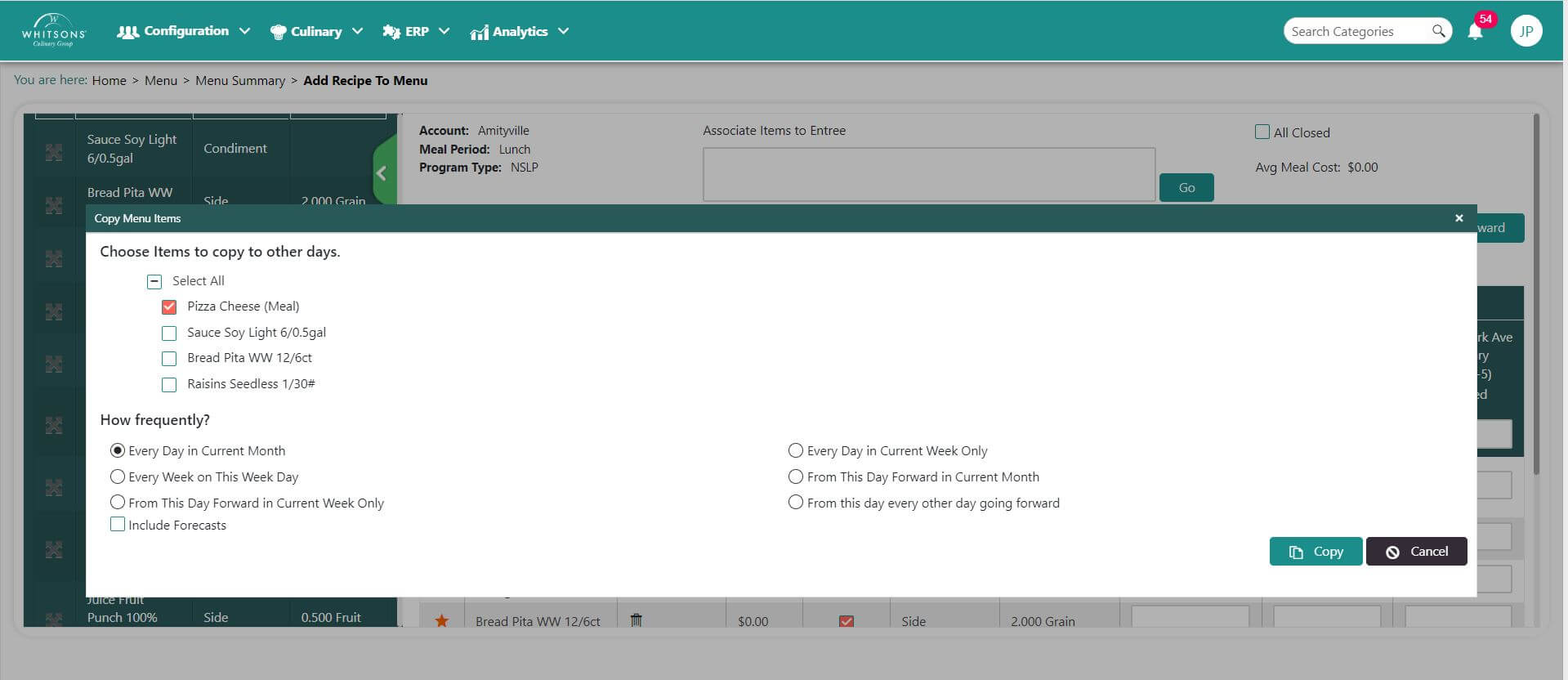
Choose one or more items to copy to other days. Click on the item (check mark appears).
Select frequency.
If you would like to copy the forecast for these items, select the box. Leave blank if you do not want to copy the forecast.
Click Copy.