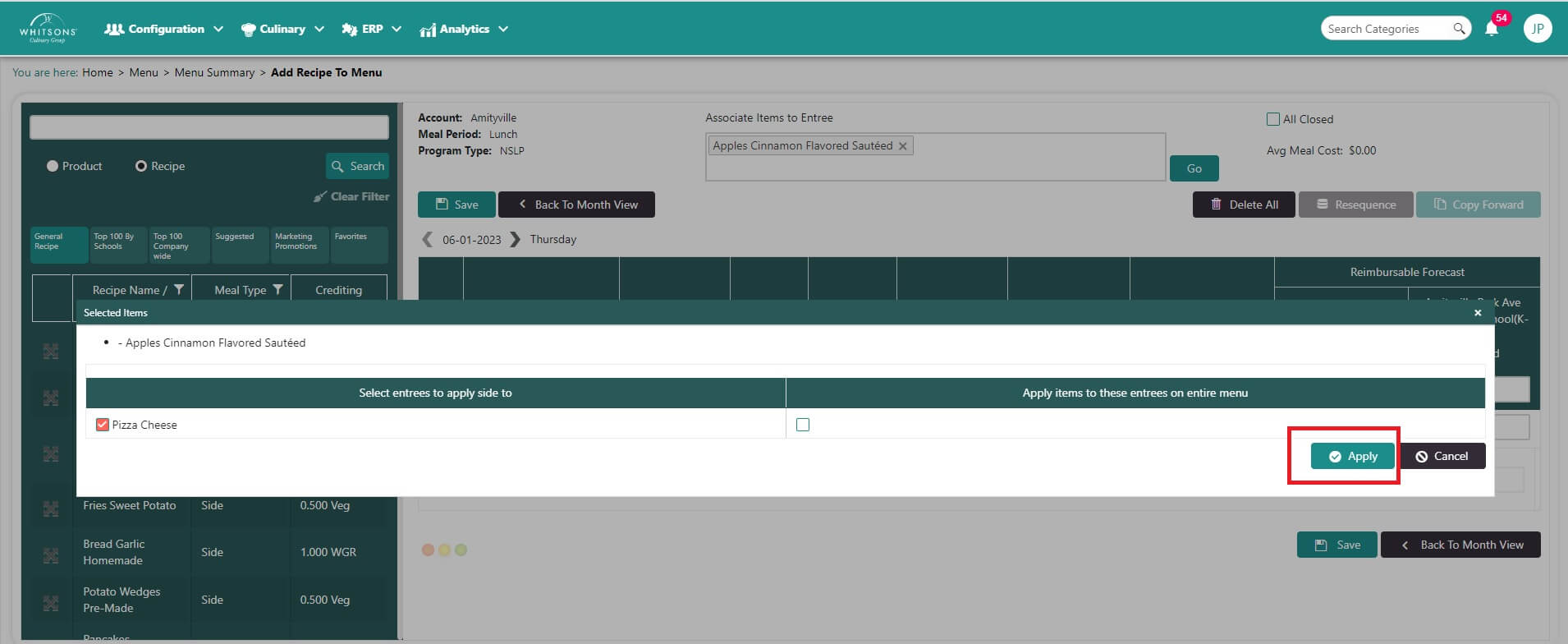
Associate Sides to Entrée
Note
Use this transaction when the side/condiment/beverage is being offered ONLY with the associated entrée. This will impact how the traffic light sees these items. (Items that are not associated to a specific entrée are creditable and considered available with every entrée.)
When associating sides, condiments or beverages with entrees, the forecast will be automatically adjusted to include both the entrée and the associated side.
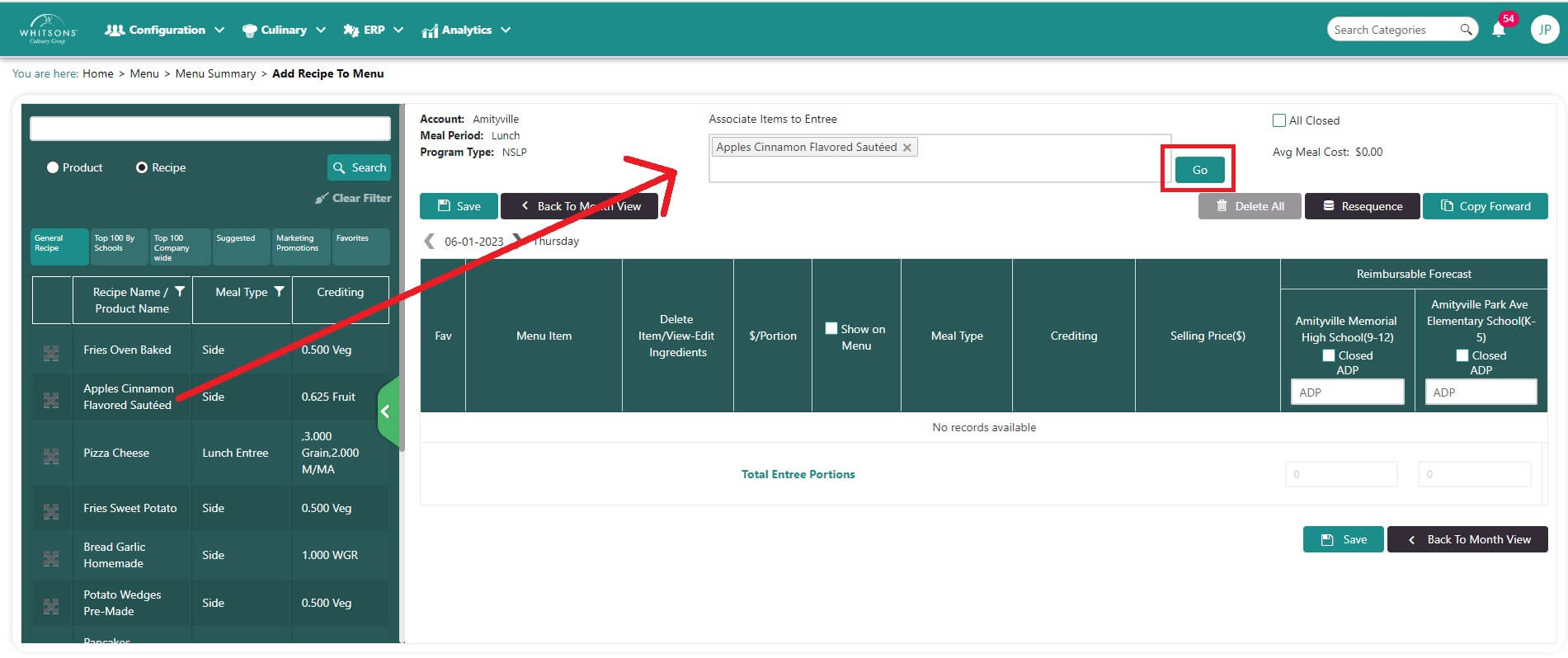
- Search for a side to associate with the selected entree. Drag and drop the selected side into the box at the top of the screen. Click Go.
- In the popup, select the entrée you would like to associate with the side. Click Apply. You will receive a confirmation message.\ The user also has the option of applying the association to the entrée for the entire menu.