Add Menu Items
tip
Use Advanced Search to find specific ingredients when you need to use, avoid specific allergens, etc.
Select an "empty" menu day on the monthly calendar. Click Advanced Search on the Menu Summary Screen.
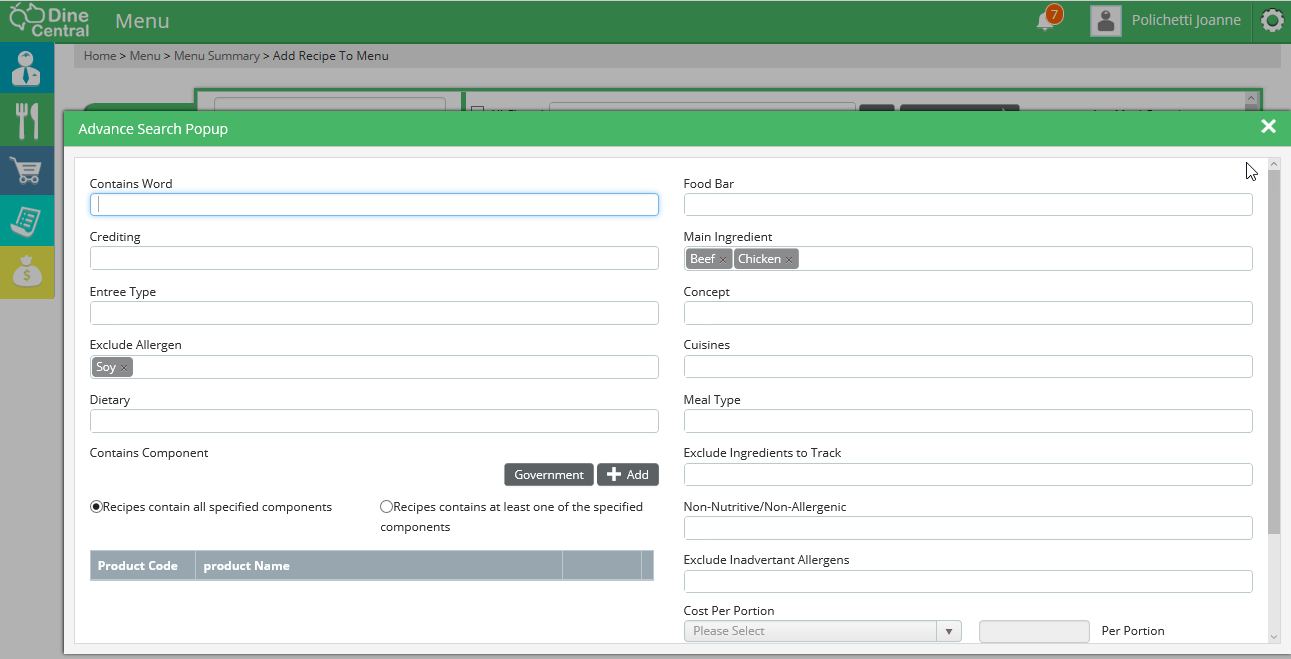
The Advanced Search popup window appears. In this example, we are searching by main ingredient(s) and Items that do not have the selected allergen.
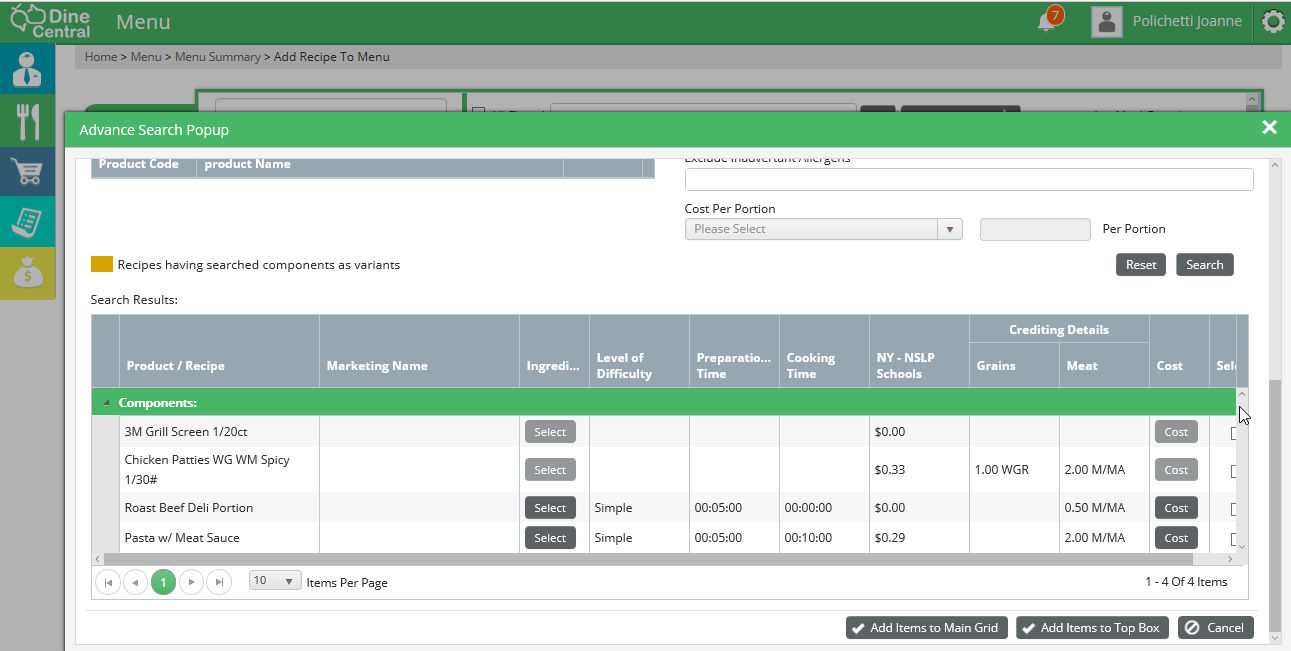
Scroll down and click search. Available items are listed alphabetically. Select and click +Add.