Metadata Type
What Is Metadata Type?
Metadata Type allows you to define and manage metadata type records used across vendor and product data. Each metadata type has a name and description and can be viewed, added, or edited from this screen.
Navigate To Metadata Type
Click on ERP on the main navigation menu and hover on Vendor.
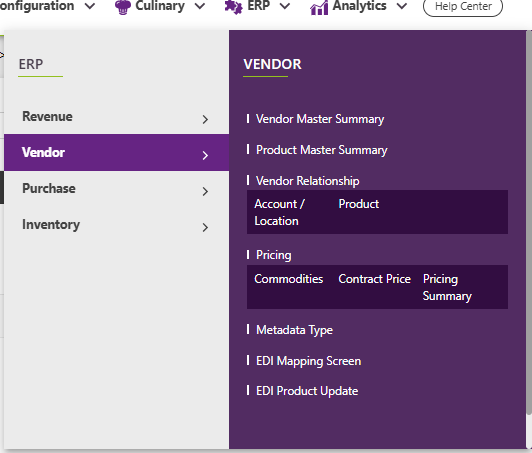
Click on Metadata Type from the Vendor submenu.
Add / Edit / View Metadata Type
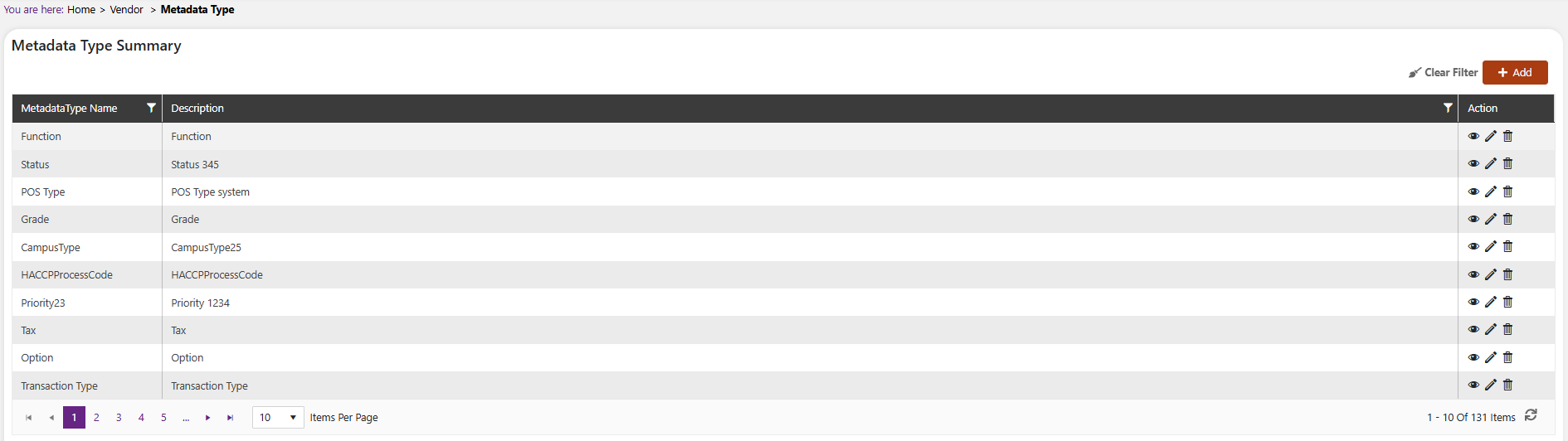
On the Metadata Type Summary screen, all existing metadata type records are listed. From this screen you can:
- Click the Add button to create a new Metadata Type.

- Click the View icon under the Action column to view a record in read-only mode.
- Click the Edit icon under the Action column to open the record in edit mode.
On the Add/Edit Metadata Type screen:
- Metadata Type Name: Enter the name of the metadata type.
- Description: Enter a description of the metadata type.
Click Save to save the record or Cancel to discard.