Overview
Revision Table
This user guide will be updated as the system continues to be enhanced. Below is a high level description about the changes to each version.
| Revision | Date | Main Changes |
|---|---|---|
| 1 | November 2015 | Created |
| 2 | February 2016 | Multiple updates from the training pilot |
| 3 | March 5, 2016 | Added further clarification to Reconciliation, updated screen captures and a few extra notes throughout as system enhancements were made |
| 4 | April 25, 2016 | Added new invoice functionality, updated screen captures and a few extra notes for invoicing and reconciliation as system enhancements were made |
| 5 | May 13, 2016 | Added some clarification to the reconciliation process including how to correct a errors and a reconciliation that was rejected by Accounting as well as a few new screen captures throughout to ensure accuracy |
| 6 | June 2, 2016 | Added the catering Invoice report, two POS legends and more tips for the reconciliation process to help prevent errors |
| 7 | October 10, 2016 | Added clarification to the sales data entry and reconciliation processed about where to add Type 2 vs. Cost Plus Vending Sales |
| 8 | October 18, 2016 | Added note to |
| 9 | January 3, 2017 | Added instructions for viewing POS Reconciliation summaries to |
| 10 | March 3, 2017 | Added instructions for running deposit reports |
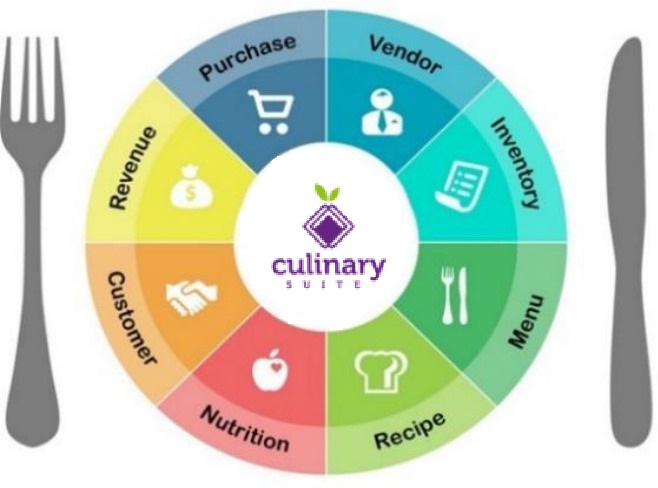 | Dine Central is an Enterprise Resource Planning (ERP) system created by Whitsons Culinary Group to centralize major food service business. With Dine Central managers can perform tasks more easily, while remaining fully compliant with ever-increasing reporting and regulatory requirements placed on our school nutrition professionals. This proprietary system features a suite of eight integrated modules: purchasing, inventory, menus, recipes, nutrition, customer service and revenue. These modules are used to collect, store, manage, report on and utilize data from all aspects of a school nutrition program. |